


 Similar topics:
1. Open the Indicators Explorer https://gateway.euro.who.in/hfa-explorer/
2. Select an indicator:
a. Expand Indicators.
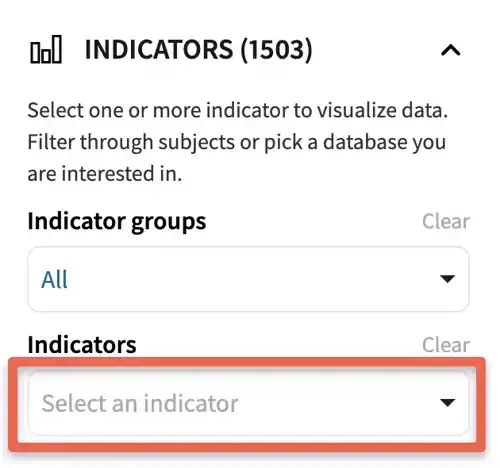
b. Click on the search field.
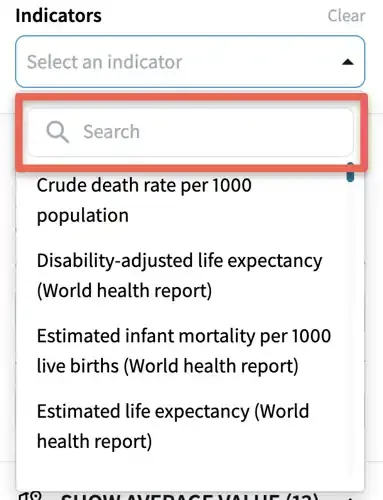
c. Start typing the indicator title or part of the title.
d. Click on the indicator title.
3. Save the chart for future reference on your computer by making a bookmark.
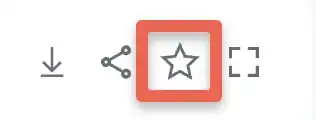
4. See the saved bookmarks by pressing the Bookmarks icon.

5. Open the bookmark by pressing the arrow, copy this link by clicking on the Copy link text and share it with others by clicking the Share text. To see more information, expand Detailed information.
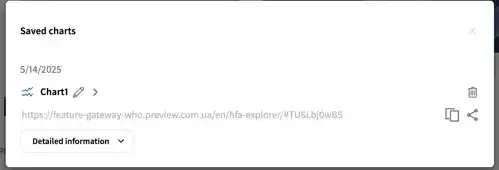
6. Bookmarks in the Indicators Explorer use the cookie feature of browsers. This means that the bookmarks are valid as long as the same computer and browser is used, and that the cookies are not cleared from the browser. If the cookies are cleared from the browser, bookmarks are no longer shown in saved bookmarks in the Indicators Explorer.
7. Instead of using the bookmarks feature of the Indicators Explorer, save the bookmarks in your browser. Bookmarks are added in the browser by using the menus, or Ctrl-D on Windows workstations, and Command-D on Macs.
8. A third method for saving a chart for later use, is to copy the URL from the browser and save it in a document on your workstation.