Similar topics:
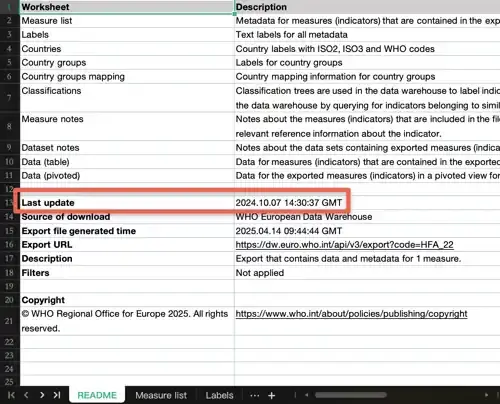
The European Health Information Gateway is updated regularly. Each indicator has a time stamp showing when it was last updated.
1. Open the Indicators Explorer https://gateway.euro.who.in/hfa-explorer/
2. Select an indicator:
a. Expand Indicators.
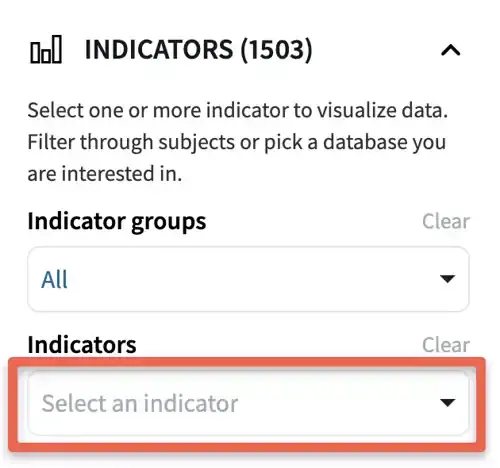
b. Click on the search field.
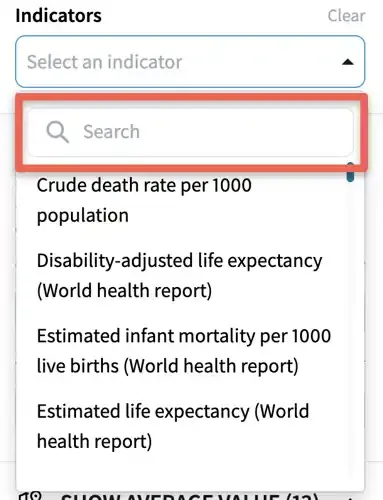
c. Start typing the indicator title or part of the title.
d. Click on the indicator title.
3. To download the data and metadata, click Download, and download in Excel format.

4. Look for the timestamp of the last time this indicator was updated in the Notes worksheet. This means that you can always refer to the Excel file you downloaded for offline analysis, to see how recent the data you are analyzing.